
Zeslots Casino App
The Zeslots Casino app brings the full excitement of one of the UK's most compelling online casinos directly to your smartphone or tablet. Whether you prefer Android or iOS, the Zeslots Casino mobile experience has been engineered to deliver a seamless, fast, and visually polished platform wherever you happen to be. With access to over 4,000 games from more than 50 world-class providers, playing your favourite slots, live dealer tables, or jackpot titles on your phone has never been more enjoyable. This page covers everything you need to know: how to download the app, system requirements, exclusive mobile features, step-by-step installation guides, and answers to the most common questions from UK players.
Overview of the Zeslots Casino Mobile App
The Zeslots Casino mobile app is designed with one goal in mind — to give UK players a casino experience that is every bit as rich and rewarding on a handheld device as it is on a desktop computer. The application has been optimised for touchscreen navigation, ensuring that buttons, menus, game tiles, and cashier screens are all perfectly sized for fingers rather than mouse pointers. The colour palette, typography, and overall aesthetic remain consistent with the desktop site, so switching between the two feels entirely natural.
As a mobile casino platform, Zeslots Casino supports both native-style Android access via a downloadable APK and a sophisticated Progressive Web App (PWA) for iOS users. This dual-track approach means that virtually every modern smartphone owner can enjoy the full range of features without compromise. The free app gives instant access to your account, your favourite games, your Zeslots Casino bonus wallet, and the live chat support team — all from a single icon on your home screen.
Why Choose the Zeslots Casino App?
- 4,000+ games including slots, live casino, table games, and crash titles — all optimised for mobile play
- Exclusive mobile bonuses available only to players using the casino app
- Biometric Zeslots Casino login via Touch ID and Face ID for secure, one-tap sign-in
- Push notifications for bonus drops, free spins, and personalised offers
- Night mode to reduce eye strain during late-night gaming sessions
- Offline demo mode allowing you to try games without an active internet connection
- Full history and statistics dashboard to track your gaming activity
- Complete cashier functionality — deposits and withdrawals processed directly through the mobile app
- 24/7 live chat support accessible without leaving the application
Downloading the Zeslots Casino Android App (APK)
Android users can enjoy the Zeslots Casino app by downloading the official APK directly from the casino website. Because the Android app is distributed outside the Google Play Store, you will need to allow installation from unknown sources. The process is straightforward and takes only a couple of minutes.
Step-by-Step Guide: Download APK on Android
- Visit the site: Open your Android browser and navigate to zeslotsscasino.com. Tap the banner or footer link labelled Download App.
- Download the APK file: Tap the Download APK button. Your browser will begin downloading the file to your device's storage.
- Allow unknown sources: If prompted, go to Settings > Apps > Special App Access > Install Unknown Apps and grant permission to your browser or file manager. On older Android versions, this is found under Settings > Security > Unknown Sources.
- Open the file: Once the download is complete, tap the notification or locate the APK in your file manager and tap to install.
- Complete installation: Follow the on-screen prompts, tap Install, and wait a few seconds for the process to finish.
- Launch and log in: Tap the Zeslots Casino icon on your home screen, sign in with your existing credentials or register a new account, and start playing.
The download app process is entirely free of charge, and the free app file is regularly updated to ensure compatibility with the latest Android security patches and features.
Android System Requirements
| Requirement | Minimum |
|---|---|
| Operating System | Android 8.0 (Oreo) or higher |
| RAM | 2 GB |
| Storage | 150 MB free space |
| Internet Connection | 4G / Wi-Fi recommended |
| Browser (for download) | Chrome 80+ or equivalent |
Zeslots Casino iOS App — Web App (PWA) via Safari
Apple iOS users access the Zeslots Casino mobile experience through a Progressive Web App (PWA). This iOS app functions exactly like a native application once installed to your home screen — it launches in full-screen mode without any browser chrome, loads rapidly, and supports push notifications on iOS 16.4 and above. There is nothing to download from the App Store; the entire application runs through Safari, keeping it lightweight and always up to date.
Step-by-Step Guide: Add Zeslots Casino to iOS Home Screen
- Open Safari: On your iPhone or iPad, launch the Safari browser. It is important to use Safari specifically, as other iOS browsers do not support the full PWA installation feature.
- Visit the casino: Navigate to zeslotsscasino.com in the Safari address bar.
- Tap the Share button: Tap the share icon (the box with an upward arrow) at the bottom of the screen.
- Add to Home Screen: Scroll through the share sheet and tap Add to Home Screen.
- Confirm the name: Edit the shortcut name if desired, then tap Add in the top-right corner.
- Launch the app: The Zeslots Casino icon will now appear on your home screen. Tap it to open the mobile casino in full-screen mode.
iOS System Requirements
| Requirement | Minimum |
|---|---|
| Operating System | iOS 14.0 or higher |
| Device | iPhone 6s / iPad Air 2 or newer |
| Browser | Safari (required for PWA install) |
| Storage | Minimal (PWA cache only) |
| Internet Connection | 4G / Wi-Fi recommended |
Mobile App vs Desktop Version: A Detailed Comparison
Many players wonder whether switching to the Zeslots Casino app means giving something up compared to the desktop site. The short answer is no — the mobile version is a near-perfect mirror of the desktop experience, with a handful of additional features exclusive to handheld devices.
| Feature | Mobile App | Desktop Version |
|---|---|---|
| Game Catalogue | 4,000+ titles | 4,000+ titles |
| Live Casino | Full access | Full access |
| Bonus Wallet | Full access | Full access |
| Biometric Login | Yes (Touch ID / Face ID) | No |
| Push Notifications | Yes | No |
| Night Mode | Yes | Limited |
| Offline Demo Mode | Yes | No |
| Favourite Games | Yes | Yes |
| History & Statistics | Full dashboard | Full dashboard |
| Payment Methods | All supported | All supported |
| Customer Support | Live chat 24/7 | Live chat 24/7 |
As you can see, the Zeslots Casino mobile app not only matches the desktop in all critical areas but goes further with smartphone-exclusive features that enhance convenience and personalisation.
Exclusive Mobile Features
Biometric Login
Security and convenience go hand in hand with the Zeslots Casino app's biometric authentication. Once enabled, you can log in using your device's Touch ID fingerprint sensor or Face ID facial recognition, eliminating the need to type your password each time. This feature is available on compatible Android and iOS devices and can be toggled on or off within the app's security settings.
Push Notifications
Stay informed about the latest promotions, free spin drops, and personalised offers by enabling push notifications in the Zeslots Casino mobile app. You will receive real-time alerts even when the application is running in the background, ensuring you never miss a time-sensitive bonus opportunity. Notification preferences can be customised so you only receive the alerts that matter most to you.
Night Mode
For players who enjoy late-night sessions, the casino app includes a dedicated night mode that shifts the interface to a darker colour palette. This reduces blue light emission and makes mobile gaming far more comfortable on the eyes during evening hours. Night mode can be activated manually or set to trigger automatically based on your device's ambient light sensor or system-wide dark mode settings.
Favourite Games
The Zeslots Casino mobile version allows you to mark any title as a favourite with a single tap, creating a personalised library of your most-played games. Your favourites list syncs across devices, so the same shortcut is available whether you switch to the desktop site or use the app on a different phone.
Offline Demo Mode
A standout feature of the Zeslots Casino app is its offline demo capability, which allows you to load and play a selection of slots in practice mode without an active internet connection. This is particularly useful for commuters or travellers who encounter patchy signal. Note that live dealer games and real-money wagering always require a stable connection.
History and Statistics Dashboard
The Zeslots Casino mobile platform includes a comprehensive history and statistics section within the player account area. You can review your last 90 days of gaming activity, including individual session durations, net results by game category, deposit and withdrawal history, and bonus utilisation rates. This data helps you make informed decisions and supports responsible gambling habits.
Registration and First Deposit via the App
New players can complete the entire account creation process directly through the Zeslots Casino app in just a few minutes. The registration form requests standard personal information including your name, date of birth, address, and e-mail address. Once submitted, you will receive a confirmation e-mail to verify your account — after which you are free to make your first deposit and claim your welcome bonus.
How to Register on the Mobile App
- Open the Zeslots Casino mobile app and tap Register.
- Enter your personal details: full name, date of birth, home address, and e-mail address.
- Create a secure password and confirm your preferred currency (GBP).
- Read and accept the Terms and Conditions and confirm you are at least 18 years of age.
- Complete any CAPTCHA verification if prompted.
- Check your inbox for the verification e-mail from Zeslots Casino and click the confirmation link.
- Log in to the app and navigate to the cashier to make your first deposit.
Making a Deposit on Mobile
Casino on mobile banking at Zeslots Casino is fully featured. The cashier section of the mobile app supports all of the same payment methods as the desktop site:
- Visa and Mastercard (debit cards)
- Apple Pay and Google Pay — ideal for frictionless mobile gaming payments
- PayPal, Trustly, Skrill, and Neteller
- Paysafecard
- Cryptocurrencies: Bitcoin, Ethereum, and Litecoin
- Bank transfer
The minimum deposit is £20, and funds typically appear in your account instantly for card and e-wallet payments. Withdrawals are subject to a minimum of £30, with standard limits of £5,000 per day, £15,000 per week, and £30,000 per month. Processing times run between 24 and 72 business hours depending on the method chosen.
Exclusive Mobile Bonuses at Zeslots Casino
One of the most compelling reasons to play on phone at Zeslots Casino is access to exclusive mobile bonuses that are not available on the desktop platform. These offers are designed to reward players who choose the Zeslots Casino app as their primary gaming environment.
New players who register and make their first deposit through the mobile app automatically qualify for the full welcome package:
- 1st deposit: 100% match up to £200 + 50 free spins
- 2nd deposit: 50% match up to £150 + 30 free spins
- 3rd deposit: 75% match up to £150 + 20 free spins
This totals up to £500 + 100 free spins across your first three deposits. All bonuses carry a 35x wagering requirement applied to the bonus amount. In addition to the welcome offer, existing players using the Zeslots Casino mobile platform will periodically receive push notifications announcing mobile-only reload bonuses, cashback promotions, and free spin drops — perks that make staying loyal to the casino app genuinely worthwhile.
Security and Responsible Gambling on the Zeslots Casino App
Security
The Zeslots Casino application is secured with 256-bit SSL/TLS encryption, the same standard used by major financial institutions, ensuring that all data transmitted between your device and the casino's servers remains private and tamper-proof. The platform's Random Number Generator (RNG) is certified by independent testing laboratories, guaranteeing fair outcomes across all games. Before processing your first withdrawal, Zeslots Casino will request KYC (Know Your Customer) documentation — typically a government-issued photo ID and proof of address — to verify your identity and protect against fraud.
Biometric authentication within the mobile app adds a further layer of personal security, ensuring that only you can access your account from your device. Zeslots Casino is operated by a company registered in Curaçao and holds a licence issued by the Government of Curaçao.
Responsible Gambling Tools
Zeslots Casino takes responsible gambling seriously. The following tools are available directly within the Zeslots Casino app:
- Deposit limits: Set daily, weekly, or monthly caps on how much you can add to your account
- Bet and loss limits: Restrict the size of individual wagers and cap your losses over a defined period
- Session limits: Automatically log yourself out after a set amount of playing time
- Reality checks: Receive on-screen reminders at regular intervals showing how long you have been playing
- Cooling-off periods: Temporarily suspend your account for 24 hours, 48 hours, 7 days, or 30 days
- Self-exclusion: Request a longer break of 6 months, 1 year, 5 years, or permanent exclusion
All tools can be activated instantly within the mobile casino account settings. If you have any concerns, the 24/7 live chat team and e-mail support at [email protected] are always available.
Troubleshooting Common Issues with the Mobile App
The APK Will Not Install on My Android Device
This almost always occurs because the Install Unknown Apps permission has not been granted to your browser or file manager. Go to Settings > Apps, locate your browser, tap Advanced (or Install Unknown Apps), and toggle the permission on. Then attempt the installation again. If the issue persists, check that you have at least 150 MB of free storage and that your Android version is 8.0 or higher.
The iOS PWA Is Not Loading Properly
Ensure you are using Safari, not Chrome or Firefox. Only Safari on iOS supports the full PWA installation and offline caching required by the Zeslots Casino mobile platform. Clear your Safari cache via Settings > Safari > Clear History and Website Data and try adding the site to your home screen again.
Games Are Running Slowly
Slow performance during mobile gaming is usually caused by a weak internet connection or background apps consuming system resources. Connect to a stable Wi-Fi network, close unused apps, and restart the casino app. If problems persist, check that your device meets the minimum system requirements listed above.
I Cannot Log In to the App
If biometric login fails, try logging in manually with your e-mail address and password. If you have forgotten your password, use the Forgot Password link on the login screen. A reset link will be sent to your registered e-mail address. If your account has been locked, contact the support team via live chat.
My Push Notifications Have Stopped
Check that the Zeslots Casino app has notification permissions in your device's system settings. On Android, go to Settings > Apps > Zeslots Casino > Notifications. On iOS, go to Settings > Notifications > Zeslots Casino and ensure Allow Notifications is enabled.
The Zeslots Casino VIP Programme on Mobile
Loyal players who predominantly play on phone via the Zeslots Casino mobile app are fully eligible for the casino's five-tier VIP programme. The levels — Bronze, Silver, Gold, Platinum, and Diamond — unlock progressively higher cashback rates between 10% and 20%, dedicated account management, faster withdrawal processing, and access to bespoke promotional offers. Your VIP progress is visible at any time within the app's account section, making it easy to track how close you are to the next tier.
Games Available on the Zeslots Casino Mobile App
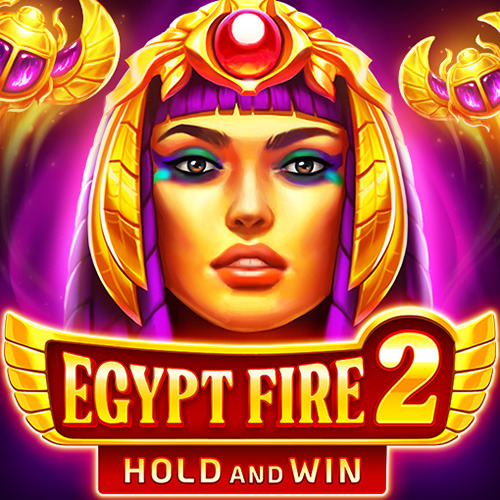
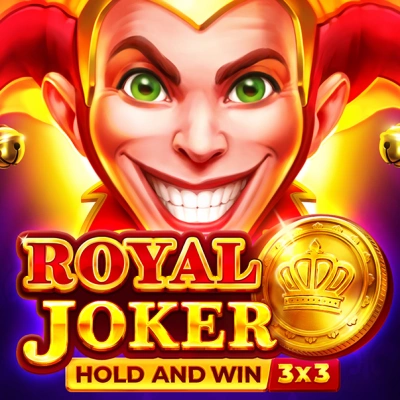
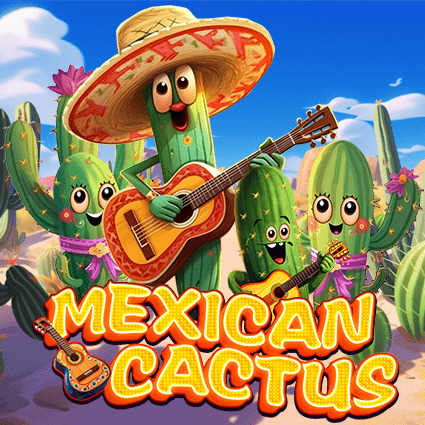
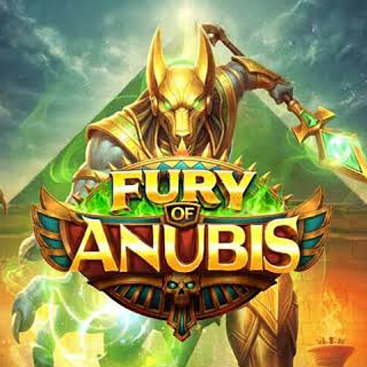
The entire catalogue of 4,000+ titles is accessible through the Zeslots Casino app, including content from more than 50 of the industry's most respected providers. Whether you prefer to play on phone or tablet, you will find every category well represented:
- Slots: Classic, video, and megaways slots from Pragmatic Play, NetEnt, Play'n GO, Microgaming, Yggdrasil, Hacksaw Gaming, Push Gaming, Nolimit City, Relax Gaming, and many more
- Live Casino: Blackjack, roulette, baccarat, game shows, and more streamed in HD from Evolution Gaming studios — all fully optimised for the mobile version
- Table Games: Virtual roulette, blackjack, poker, and baccarat variants
- Jackpot Games: Progressive jackpot slots with six- and seven-figure prize pools
- Crash Games: Fast-paced titles including Aviator from Spribe and other multiplier-based games
- Red Tiger Titles: Daily jackpots and feature-rich slots optimised for touchscreen play
All games are rendered using HTML5 technology, which means they load natively in the browser or application without requiring any additional plugins. Touchscreen controls — swipe to spin, tap to select bets, pinch to zoom — feel natural and responsive across all supported devices.


Customer Support via the Mobile App
The Zeslots Casino app keeps help just one tap away. The live chat widget is accessible from within every section of the mobile casino platform, connecting you to a trained support agent in seconds, 24 hours a day, 7 days a week. For less urgent enquiries, you can contact the team by e-mail at [email protected] and expect a reply within 12 hours. The support team is well versed in all aspects of the Zeslots Casino mobile experience and can assist with everything from technical installation queries to bonus terms and withdrawal processing.
Frequently Asked Questions — Zeslots Casino App
Is the Zeslots Casino app free to download?
Yes, the Zeslots Casino app is completely free. The Android app APK can be downloaded from the casino website at no cost, and the iOS app PWA requires no download at all — simply add the site to your home screen via Safari. Real-money wagering requires a funded account, but the free app itself costs nothing.
Can I use the same account on mobile and desktop?
Absolutely. Your Zeslots Casino account works seamlessly across the mobile app, the mobile browser, and the desktop website. Your balance, bonuses, game history, and VIP status all sync in real time, so you can switch between devices without any disruption to your mobile gaming session.
Is the Zeslots Casino mobile app safe?
Yes. The Zeslots Casino mobile platform uses 256-bit SSL/TLS encryption to protect all data transmissions. The application is backed by a Curaçao gaming licence, RNG-certified games, mandatory KYC procedures, and optional biometric login — all of which combine to create a secure and trustworthy casino on mobile environment.
What is the difference between the Android APK and the iOS PWA?
The Android app is a native-style APK file you download and install directly onto your device. The iOS app is a Progressive Web App accessed through Safari and saved to your home screen. Both offer the same game catalogue, account features, and mobile bonuses — the delivery mechanism differs, but the mobile casino experience is equally polished on both platforms.
How do I update the Zeslots Casino Android app?
The Zeslots Casino app displays an in-app notification when a new version is available. Simply tap the update prompt, which will redirect you to the casino website to download the APK again. The installation process follows the same steps as the initial setup. Your account data and settings are preserved throughout.
Can I claim bonuses through the mobile app?
Yes. All standard promotions — including the welcome bonus of up to £500 + 100 free spins — are fully accessible through the Zeslots Casino app. In addition, Zeslots Casino periodically releases mobile-exclusive offers sent directly to your phone via push notifications. Keep notifications enabled in your device settings to ensure you never miss an exclusive deal on the casino app.
What payment methods are available on the mobile app?
The Zeslots Casino mobile cashier supports the full range of payment options: Visa, Mastercard, Apple Pay, Google Pay, PayPal, Trustly, Skrill, Neteller, Paysafecard, Bitcoin, Ethereum, Litecoin, and bank transfer. Apple Pay and Google Pay are particularly convenient for quick deposits on the mobile app, as they use your device's biometric authentication for instant approval.
Does the app work on tablets?
Yes. The Zeslots Casino app and the mobile version of the site are both fully responsive and adapt elegantly to larger tablet screens. The interface scales to make excellent use of the additional display space, making tablet an ideal choice for live dealer games and visually rich video slots.
What should I do if I experience technical problems with the app?
Start by checking that your device meets the minimum system requirements (Android 8.0+ or iOS 14.0+) and that you have a stable internet connection. Clear the app cache, restart your device, and try again. If problems persist, contact the Zeslots Casino support team via the 24/7 live chat within the application or by e-mailing [email protected]. The support team handles all Zeslots Casino mobile technical queries and typically resolves them within minutes.
The Zeslots Casino app represents a complete and confident approach to mobile gaming for UK players. From the intuitive one-tap biometric login to the vast library of HTML5 games, the seamless cashier, and the exclusive mobile bonuses, every element has been crafted to make your time playing on phone or tablet genuinely enjoyable. Whether you are downloading the APK on Android or setting up the PWA on your iPhone, getting started takes just minutes — and the casino on mobile experience that awaits is well worth it.